
Common Mistakes When Creating a Budget for Your Office Phone Systems
There are three basic types of customers who purchase office phone systems. You are the new business, you are the business that is moving, or you are the business where you have outgrown your system or its technology. When it comes to creating a budget, all of you have the same challenges.
There are three basic types of customers who purchase office phone systems. You are the new business, you are the business that is moving, or you are the business where you have outgrown your system or its technology. When it comes to creating a budget, all of you have the same challenges.
To assist with your budget here is a check-list to ensure you are ready for the new phone system.
Cable Infrastructure
Patch Panels – are you wanting to make ad-hoc moves for your employees? Using a patch panel can be a simple and cost effective way to make these moves. They also give a clean professional look to your data room.
Data and Voice Cabling – this is good to have for each location that will have a phone and computer. Consider cabling for items like the fax machine, credit card machines, network copiers, alarms, and the power-failure jack.
Phone Counts
Normally you take a map and start marking where each person will be sitting, or you look at the current extension list to determine the number of phones you will need. The common mistake is forgetting about those extra phones you have connected to your office phone systems. Common areas, such as the break room, file room, server room, or lobby phone are often forgotten in the counts. If you have a new multi-story building do you need a phone at the front door to buzz people in, or a phone in the elevator for safety?
The next step in the phone counts is your anticipated growth. You only have 12 people today, but you plan on hiring 10 more in the next 2 years. Talk to your office phone systems vendor to discuss the growth. You do not want to fork lift your system, so sizing it correctly now for growth is important. Yes you will have to outlay some additional capital, but in the long run there is a price savings by doing it now, compared to a year from now.
Telephone Lines/Dial Tone
Now each carrier is different and will offer promotions and incentives when you are adding or changing dial tone so it will be important to understand your options. Most carriers waive some if not all of the installation charges if you sign at least a three year contract. But if you are not sure of your needs, you can always have a one-year or month-to-month contract for the dial tone on your office phone systems. The common mistake is not to budget for these installation charges. They can range from $75.00 per line to $600.00 for a PRI.
Specialized Applications
Most office phone systems today come with the basics included: voicemail for each person, 911 calling notification, voicemail to email integration, message notification etc. But the enhanced features such as FAXFINDER, Presence, Conferencing, and a host of others can take that budget and throw it out the window. The best way to know if you need these specialized applications on your office phone systems is to discuss your critical items compared to your wish list with your trusted advisor.
A knowledgeable and licensed office phone systems vendor will be able to discuss these needs with you and determine the ROI for you. No client is the same, and as professionals, we must learn to listen to our clients and help them understand the best approach.
Regardless of your final decision on a budget, if you find you do not have the capital available for purchasing new office phone systems you can look at leasing options. You may be able to get loans from your business bank as well.
With any of these options, Gaynor Telesystems, Inc. as your trusted advisor can walk you through the common issues and challenges with budget and financing. We are here when you are ready to talk. Give us a call today at 1-877-Gaynor1 or contact us for a free demo.


Protect Your Time: Business Communication Solutions Made Simple
We are undoubtedly living in a fast paced world. Every day there is a new hot application or new feature that promises to make your life easier, as you sit at your desk and think, “I want simple.” Maybe you are the office manager and you outsource all your IT needs; maybe you are the business owner and understand just enough technology to make you dangerous. Whatever your role, you are looking at new business communication solutions, and have settled on a phone system.
We are undoubtedly living in a fast paced world. Every day there is a new hot application or new feature that promises to make your life easier, as you sit at your desk and think, “I want simple.” Maybe you are the office manager and you outsource all your IT needs; maybe you are the business owner and understand just enough technology to make you dangerous. Whatever your role, you are looking at new business communication solutions, and have settled on a phone system.
You have started your checklist of wants for the new phone system. The number one on your list is to have the system be easy to manage once it is installed. You want it to be easy to operate for your staff and easy to maintain. You do not hold a degree in computer science and you do not have the time to take a week long class to learn how to manage the system.
When you are researching new business phone systems, we recommend you ask for a demonstration on how easy the management of the system is. Look for these key factors:
You can manage the system from anywhere
Maybe you are the traveling salesperson for your company, as well as the owner. Your travel takes you out of town, but you still want to be able to make those add moves and changes. Does the new phone system allow for connection anywhere?
Type of training given for management
You know you will need training, but realistically you cannot spend more than 30 minutes at a time on training. Ask the vendor if they can do remote training sessions, or better yet, are there videos on how to learn the management of the system.
Security of the system
You have an office supervisor who will need some access, maybe to run reports or clear mailbox security codes when staff members leave. This person should not have access to creating people or making programming changes. Check and see if you can create different levels of security.
Ongoing Maintenance
Does the system you are looking for alert you when there is a problem? You are not always in the office and want to be alerted via email if someone calls 911, or if there is an outage on any equipment.
Time requirement
Is the system you are considering easy to use? Maybe you know chances are you will be doing changes only a couple times a year. You do not want to use a service person for these simple adds, moves and changes, but also want to make sure it will not take hours for you to do. Time is money after all. Each phone system handles management in a unique way.

At Gaynor Telesystems we want to show you how simple and easy management of business communication solutions can be. With today’s technology you do not have to be an IT professional to manage your system. We are here to show you how to reduce those add, move and change costs without sacrificing your time.
Gaynor Telesystems, Inc. has been proudly serving the North State Communities of Chico, Yuba City, Marysville, Eureka, Arcata, Sacramento, Davis, Woodland, Redding, and Red Bluff for more than 40 years. We hope the information you found in this blog was useful. To learn more about how Gaynor Telesystems, Inc. can help you install, maintain or service business communication solutions, please contact us.

5 Ways to Avoid Costly Change Orders with Your Business Phone Service
Purchasing a business phone service is a partnership with a qualified licensed vendor and your business. You decide on a new system and cut the check. You breathe a sigh of relief. The process of installation starts off well, then BAM change order, then another, then another. You are now sitting at your desk and wondering what went wrong. How could this have been prevented?
Purchasing a business phone service is a partnership with a qualified licensed vendor and your business. You decide on a new system and cut the check. You breathe a sigh of relief. The process of installation starts off well, then BAM change order, then another, then another. You are now sitting at your desk and wondering what went wrong. How could this have been prevented?
There are some simple ways of avoiding costly change orders
#1. Communication
The business phone service vendor you choose is the expert. It’s their role to help you understand and make sense of all the choices you have. Look for a vendor who talks to you about your business; about how your business works, about your growth, about your future. Not just about today’s needs but needs that are 2 or 3 years down the road. It is also important that you are open and honest about what you want and do not want. You may not know the terms, like mobility or call accounting, but you can describe what you are needing. All business phone systems have similar features. With proper communication you will each have an understanding of what is needed when putting together that quote.
#2. Infrastructure
Again, you may not be the expert in what you have installed for cabling, network, switches, routers etc. The business phone service vendor should be doing a walk through with you to determine if you have the correct infrastructure in place. The cost to re-cable a building may be more than the phone system itself. Be honest with the vendor. If you do not know if your network is ready for the new IP phone system, tell the vendor. Doing the testing prior will save not only time but frustration. If you have an outsourced IT department, bring them into the discussions. They will need to be part of the installation.
#3. Dial Tone
At Gaynor it is not uncommon to get blank stares back when we ask what type of dial tone you have. Understanding and reading a phone bill is quite hard. The type and quality of dial tone is critical to the design and components parts of any business phone service. Also communicate if you believe what you have is working or not working. Do you get complaints of busy signals? Does the staff want to dial out and can't? When changing your telephone system, it may be a time to review your dial tone. Do this before the contract and avoid the additional change orders.
#4. Optional Features
Chances are you interviewed 2 or 3 business phone service vendors. Now you are getting ready to pick, but you may be getting confused on what system does what. Make sure you fully review the expectations of the system and what options you are choosing. Some features such as email to voicemail might be standard on some systems but not others. If you wanted this feature and it was not included, you would be looking at a change order.
#5. Phone Handset Features
The number one change order that Gaynor Telesystems, Inc. sees is for the changes in the handsets. All business phone systems have multiple types and styles of handsets. Take your time in deciding what is right for your business. The break room can be a different phone than the backup receptionist, BUT if the break room phone is next to the file room that may be a highly used phone and should be the same as others. If your staff is used to having buttons that allowed them to see all the lines, is that still important? If it is, make sure you have those buttons on the phones.

Gaynor Telesystems, Inc. prides itself on having less than 1% change orders. We take our time to listen to our clients, visit their sites and get to know their current and future needs. What to know more? Ask for a quote today to discover how we can assist you in getting that new business phone service without costly change orders.
And remember:
“The most important thing in COMMUNICATION is to hear what isn't being said.”
~Peter Drucker

5 Steps to a Hassle-Free Phone System Installation
You have made the decision – you are buying a new phone system. You chose Gaynor Telesystems, Inc. to be your phone system installation company. You ask yourself, “Now what?” You know you want an easy, simple, and most importantly smooth transition. Here are 5 steps to help make your installation hassle-free.
You have made the decision – you are buying a new phone system. You chose Gaynor Telesystems, Inc. to be your phone system installation company. You ask yourself, “Now what?” You know you want an easy, simple, and most importantly smooth transition. Here are 5 steps to help make your installation hassle-free.
1. Maps
Do you have a current map of your building? By having a map and the location of each person on the map, you will ensure you have not missed anyone. Who wants to miss the new person in the small closet office? With a map, you can cross reference with your extension list. A map is also a great place to determine what phone type/style each person has. The installers don't need know who Jan is, but can read a map to determine Jan gets the NEC UT880 phone.
2. Extension List
Is your extension list current? Or is Sally who retired 3 years ago still on it? By having a current extension list with first and last names, the systems can be built with this information. Otherwise, the administrator (you!) will need to go back to the system to add information and make it current. Your phone system installation will not require an extension list, it just makes it easier. Easier equals-hassle free. Check the spelling of names too – the last thing you want to do is put Paula’s maiden name on the phone that she has not used since she got married.
3. Dial Tone/Phone Line
Do you know what your phone numbers are? This will be a key area to ensure a good installation. You will be asked for numbers for your fax machine, your alarm, and your phone number you call in and out on. At Gaynor Telesystems, Inc. we ask for those numbers to distinguish between phones and other pieces of technology, then we can be sure we leave alarm and fax numbers alone. If you are getting new dial tone, double and triple check your orders.
4. Plan Date and Time
Is your business normally busy on Tuesdays and Thursdays, but slow on Monday afternoon? Pick a time when your phones may be slow to minimize the impact of the phone system installation and how it may affect your clients. It will also help your staff ease into the use of the new phone system if you have a quieter afternoon.
Your system should not be down for more than a few minutes, depending on your application and dial tone changes, but it’s always good to plan for the worst, and expect the down time to be 1 to 2 hours. If you have a slower day picked out this will lessen the burden for all parties.
5. Training
At Gaynor Telesystems, Inc. we’ve heard all the reasons not to send staff to training. Then we get calls that no staff can use the system and they hate it! So much for hassle-free. Training is key to a successful install. If you are going the route of having us “train the trainers,” make sure your trainers do in fact train the employees.
Better yet, have training as part of your phone system installation and have one of the professionals do it. Your trainers can sit in on multiple classes and can train the new employees as they come to work, or even catch those who may have been on vacation.
Phone system installation doesn’t need to be a nose bleed for you or your staff. With proper planning and using these 5 steps, you can have a hassle-free install. Gaynor Telesystems has been installing systems for over 40 years. We can help you determine the best way for your company.

About Us
Gaynor Telesystems Inc. has been proudly serving the North State Communities of Chico, Yuba City, Marysville, Eureka, Arcata, Sacramento, Davis, Woodland, Redding, and Red Bluff for more than 40 years. We hope the information you found in this blog was useful. To learn more about how we can help you install, maintain or service business communication solutions, please contact us at 877-Gaynor1.

Basics of Business Communication Solutions: Direct Phone Lines
You know that moment when you call a business and you’re greeted with, “Hello, can you please hold.” You start to open your mouth to say something, but before you can even answer, you hear the elevator music start to play and realize it was a statement not a question. All you wanted was to be transferred to extension 1013.
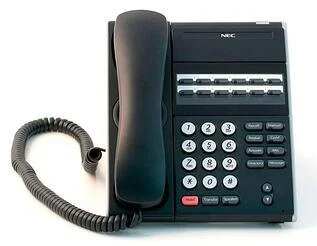
You know that moment when you call a business and you’re greeted with, “Hello, can you please hold.” You start to open your mouth to say something, but before you can even answer, you hear the elevator music start to play and realize it was a statement not a question. All you wanted was to be transferred to extension 1013.
You might be on the other end of the spectrum looking for business communication solutions for your company because you are the person putting people on hold. If only they could just call who they need directly instead of being routed through you. That would make your life so much easier and your day much more efficient.
What your business needs are direct phone lines on your office phone systems. You’re probably somewhat familiar with the concept, but just not sure how to make it a part of your phone system. Here’s how it works.
First it’s important to understand the difference between a direct office phone line versus an extension.
A line refers to the actual phone number and can be either a direct dial number (DID) or an office phone line.
An extension refers to the separate phones that run off of a phone line. An extension is a unique number given to a phone set on the desk of a person, or another place in the office.
Ask yourself, “How many multiple phone numbers do I need for my business or how many separate extensions versus how many direct dial numbers?”
Benefits of Direct Dial Numbers
Your phone service vendor can help you determine which system will provide the best business communication solutions for your company, but you will see the following benefits.
Employees can be contacted directly. This is helpful when a customer has been working with a specific support person who knows their case.
Better call management. Direct dial numbers help streamline your phone system so that customer’s needs are efficiently met even when there’s high call volume.
Call forwarding. Direct extensions allow employees to forward their calls from their work line to their cell phone or home phone, giving them the opportunity to take work-related calls when they’re on the road or working from home.
Direct dial numbers simply give your business the ability to manage your calls better and provide more efficient customer service.
Implementation
You know it’s frustrating when you can’t get to the person you need to talk to, and you don’t want your customers to experience this when they call your business. Direct dial numbers can help you solve this problem and make your business more efficient.
It’s important to do some basic research when searching for the right phone system vendor to work with. If you’re ready to learn more about how direct dials can be used for your business, we invite you to contact Gaynor Telesystems, Inc. for a free demo. Before we recommend specific business communication solutions, we make sure we understand your challenges that are driving you to make a change.

Common Mistakes When Creating a Budget for Your Office Phone Systems
There are three basic types of customers who purchase office phone systems. You are the new business, you are the business that is moving, or you are the business where you have outgrown your system or its technology. When it comes to creating a budget, all of you have the same challenges.
There are three basic types of customers who purchase office phone systems. You are the new business, you are the business that is moving, or you are the business where you have outgrown your system or its technology. When it comes to creating a budget, all of you have the same challenges.
To assist with your budget here is a check-list to ensure you are ready for the new phone system.
Cable Infrastructure
Patch Panels – are you wanting to make ad-hoc moves for your employees? Using a patch panel can be a simple and cost effective way to make these moves. They also give a clean professional look to your data room.
Data and Voice Cabling – this is good to have for each location that will have a phone and computer. Consider cabling for items like the fax machine, credit card machines, network copiers, alarms, and the power-failure jack.
Phone Counts
Normally you take a map and start marking where each person will be sitting, or you look at the current extension list to determine the number of phones you will need. The common mistake is forgetting about those extra phones you have connected to your office phone systems. Common areas, such as the break room, file room, server room, or lobby phone are often forgotten in the counts. If you have a new multi-story building do you need a phone at the front door to buzz people in, or a phone in the elevator for safety?
The next step in the phone counts is your anticipated growth. You only have 12 people today, but you plan on hiring 10 more in the next 2 years. Talk to your office phone systems vendor to discuss the growth. You do not want to fork lift your system, so sizing it correctly now for growth is important. Yes you will have to outlay some additional capital, but in the long run there is a price savings by doing it now, compared to a year from now.
Telephone Lines/Dial Tone
Now each carrier is different and will offer promotions and incentives when you are adding or changing dial tone so it will be important to understand your options. Most carriers waive some if not all of the installation charges if you sign at least a three year contract. But if you are not sure of your needs, you can always have a one-year or month-to-month contract for the dial tone on your office phone systems. The common mistake is not to budget for these installation charges. They can range from $75.00 per line to $600.00 for a PRI.
Specialized Applications
Most office phone systems today come with the basics included: voicemail for each person, 911 calling notification, voicemail to email integration, message notification etc. But the enhanced features such as FAXFINDER, Presence, Conferencing, and a host of others can take that budget and throw it out the window. The best way to know if you need these specialized applications on your office phone systems is to discuss your critical items compared to your wish list with your trusted advisor.
A knowledgeable and licensed office phone systems vendor will be able to discuss these needs with you and determine the ROI for you. No client is the same, and as professionals, we must learn to listen to our clients and help them understand the best approach.
Regardless of your final decision on a budget, if you find you do not have the capital available for purchasing new office phone systems you can look at leasing options. You may be able to get loans from your business bank as well.
With any of these options, Gaynor Telesystems, Inc. as your trusted advisor can walk you through the common issues and challenges with budget and financing. We are here when you are ready to talk. Give us a call today at 1-877-Gaynor1 or contact us for a free demo.